DiGiCo has released Version 22 all Quantum and SD consoles bringing new features and functional improvements.
With v22, Snapsho Setlists have been added to the Snapshots panel. By default, the All Snapshots list includes all snapshots in a session. Further set lists can then be created and snapshots added and removed from these. The console will then only recall snapshots in the current setlist. Snapshots in set lists can be in a different order to the All Snapshots list and the console will fire through them in this custom order.
With an increasing number of productions using time code to manage shows, v22 has overhauled the Recall Times panel of the Snapshot panel. Snapshots previously had the option to capture a recall time at the point of insertion, and now can update their recall time from time code when the Update Recall Times button is pressed.
 As productions can also frequently change as they develop, DiGiCo has added time code offset adjustments to allow for recall times to be easily adjusted for one or many snapshots at once.
DiGiCo’s internal console routing provides can now be included when enabling Aux to Fader. By default, all but the Master group are included in the Aux to Fader selection, and the included groups can be changed at any time. If a Group is enabled for Aux to Fader and is a member of a Control Group that has Aux Sends enabled, then the Control Group fader will provide the same ±18dB controller as any input channels in the control group when in Aux to Fader mode.
Version 22 brings improvements and new features to the Macro panel. First, there is the ability to reorder Macros to create an easier to navigate list. Second, when searching for a Macro command, the command types column now filters to show categories where the search term exists. New Macro commands for v22 are Switch to Bank, bringing a specific fader bank to the surface; and Set Security Mode, putting the console directly into either Live or Unattended mode without navigating through the Security Panel.
For users of the Quantum112 and Quantum852, v22 has added a search feature to the Macroder and Channel Macros panel. And if a Macro is used on a Quantum112 to set the console into Surface Offline mode, an indication is displayed in the Top Bar of the console.
The latest software update deepens DiGiCo’s integration between Quantum consoles and the Sound Devices Astral range of wireless microphones. Within Audio I/O, users can assign RF channels from Astral devices to sockets within a session. If these sockets are then routed to a channel, data from the Astral receiver, including Battery level, RF Quality level, NexLink signal strength, On/Off Status, and Mute Status are displayed at the top of the channel.
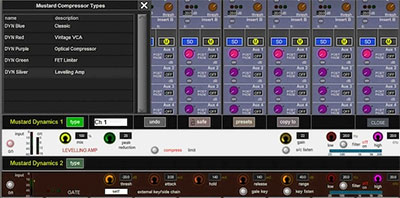
Workflow improvements in v22 include the ability to collect diagnostics files directly from within the console application; when copying Aux levels from Stereo to Stereo Aux, Pan data is also included; when an Aux node is set to control Klang, the pick point location is now hidden as Klang does not take this into account; and Mustard Dynamics Gain Reduction and Gate status is now shown in our Channel overviews.
Version 22 also brings the recently announced LiveTrax 3 Integration from Harrison.
More: www.digico.biz